This article is not available in English, view it in Finnish
Fees assigned to you or your dependent by your club can be found in the Payments section of your Sport Account. Suomisport will notify you by email when a new club fee has been assigned to you.
The easiest way to make payments is through the Suomisport mobile app. Download the Suomisport app to your phone, or pay the fee by signing in at www.suomisport.fi.
How to pay a club fee in Suomisport'
To receive a fee from a club and be able to pay it through Suomisport, you must either:
- Be a member of the club (your membership must have been approved by the club), or
- Have joined one of the club’s groups.
- Sign in to Suomisport.
- Go to the Payments tab.
- Select the payment you want to pay.You can view both your own payments and your dependents’ payments in the same view.
- Choose your preferred payment method. Suomisport supports online banking payments, debit and credit cards, and mobile payment methods. Invoice and installment payment options are also available.
- Complete the payment and you will be returned to Suomisport. Your payment has now been successfully processed.
Please note:
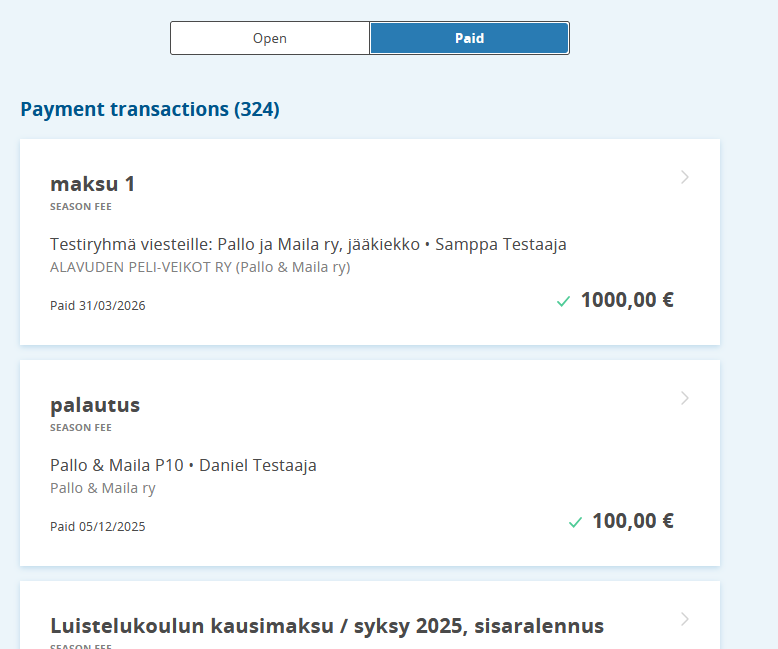
- The Payments tab always displays pending, unpaid, and paid fees in real time.
- Suomisport notifies you of new and overdue payments through app notifications and the email address registered in your Sport Account.
- By selecting a payment, you can view additional details about that payment.
- When a dependent’s fee has been paid, it is automatically removed from the list of open payments for the other guardian (if dependent have other guardians). This prevents the same fee from being paid twice by mistake.
Image: Open and overdued season fee
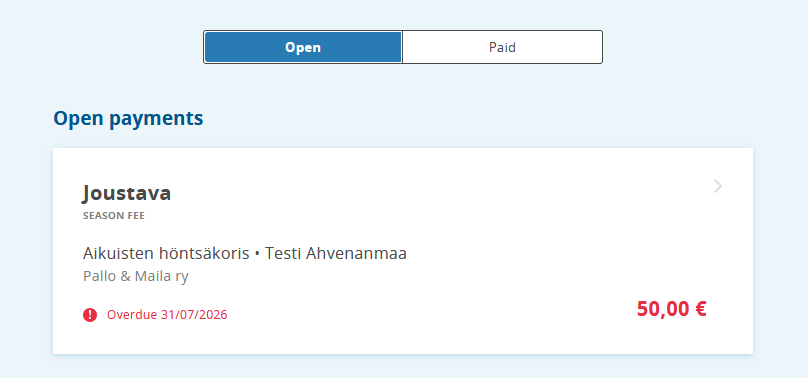
Image: Paid payments
Was this article helpful?
That’s Great!
Thank you for your feedback
Sorry! We couldn't be helpful
Thank you for your feedback
Feedback sent
We appreciate your effort and will try to fix the article